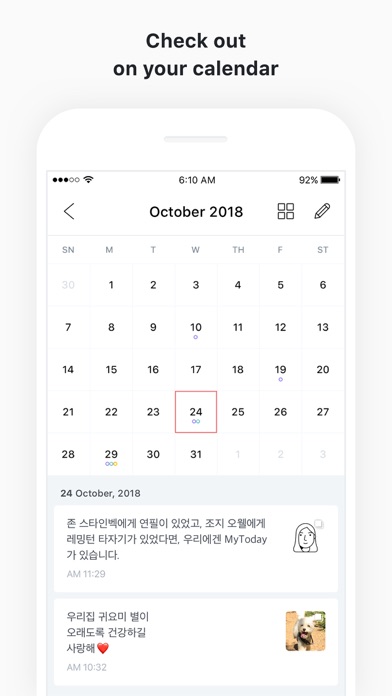
1. • You can move the month with the left and right swipe gestures on the calendar screen, and you can see the previous year or the following year through the year view icon at the top.
2. • If you touch the expansion icon, you can write and edit pictures on a wide screen.
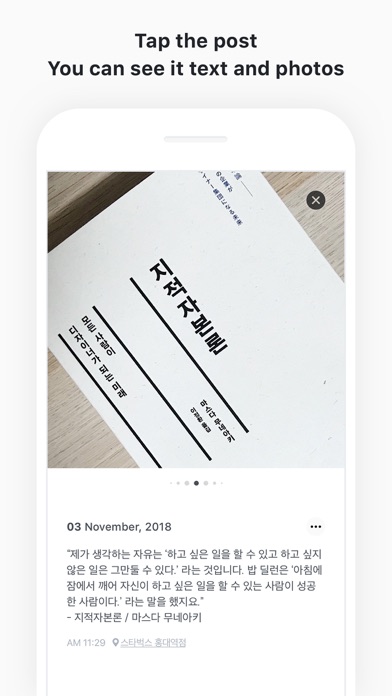
3. • You can edit or delete the created list in the main screen by swiping left.
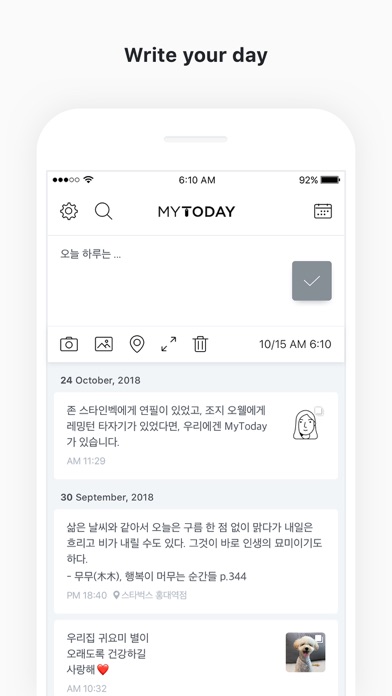
4. • You can check the diary by date by selecting the calendar icon in the upper right corner.
5. • You can use the full editing function by swiping the created list on the main screen to the right.
6. • Swipe up the calendar on the calendar screen to view the list on a wider screen.
7. • You can find the diary by using the search icon in the upper left corner.
8. • You can create today's diary by selecting the top area of the main screen.
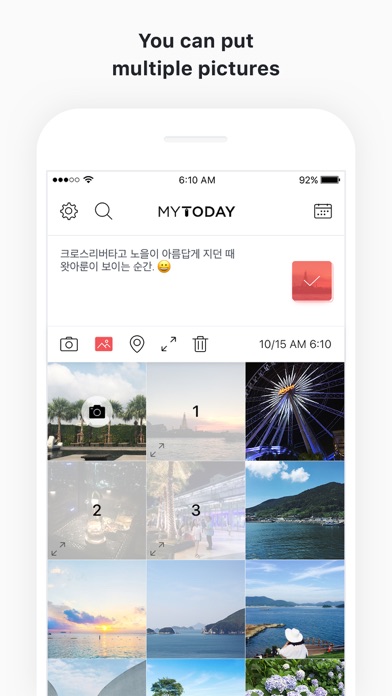
9. • When you select the picture icon, you can attach up to 10 pictures from the camera roll.
10. • Select the camera icon to take a picture and attach it immediately.
11. • The location icon can add your current location or specific location information.
12. MyToday Lite 은 무료 Lifestyle 앱으로 Yun Sun Kwon 에서 개발했습니다. 2 개월 전 출시되었으며 4+ 연령에만 적합하며 파일 크기는 129.55 MB.
13. 현재 버전은 v2.3.12 이며 1.84k 천 사용자 이상의 4.7/5 점을 받았습니다.
PC에서 MyToday Lite 용 호환 APK 다운로드
| 다운로드 | 개발자 | 평점 | 점수 | 현재 버전 | 성인 랭킹 |
|---|---|---|---|---|---|
| ↓ PC용 APK 다운로드 | Yun Sun Kwon | 1884 | 4.67622 | 2.3.12 | 4+ |
아래 에뮬레이터 중 하나를 다운로드하십시오.
옵션 "B"는 인기에 따라 권장됩니다. 문제가 발생하면 Google 또는 Naver.com에서 좋은 해결책을 찾을 수 있습니다.보너스 : Android 및 iOS 용 다운로드
Apple Macintosh에서 MyToday Lite 다운로드
| 다운로드 | 개발자 | 점수 | 현재 버전 | 성인 랭킹 |
|---|---|---|---|---|
| 무료 - Mac 에서 다운로드 | Yun Sun Kwon | 4.67622 |
2.3.12 | 4+ |
 App