1. Information concerning the visits to New High Speed Train Station (ATG) in Ankara; Ride on Ankara-Konya HSR or TCDD Etimesgut High Speed Train Maintanence Center.
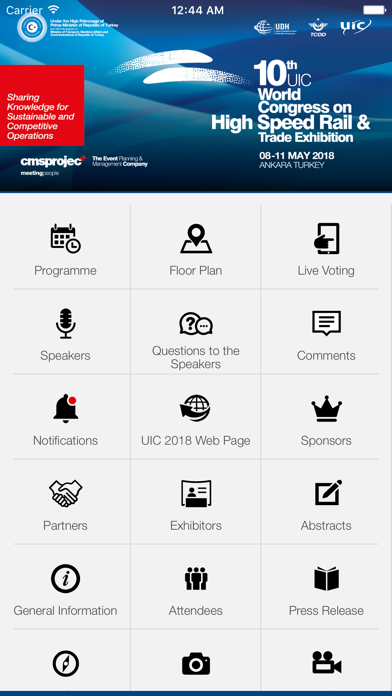
2. The 10th UIC World Congress on High Speed Rail and Trade Exhibition will be held in Ankara, Turkey on May 8-11, 2018.
3. Part of the Congress focus is on sharing research knowledge and experience among academics, railway researchers on high speed rail, manufacturers, technologists, and decision makers worldwide.
4. In 2018, the 10th UIC World Congress on High Speed Rail will focus on the topic of "Sharing Knowledge for Sustainable and Competitive Operations".
5. · Venue and Accomodation: the event will take place at Ankara Chamber of Commerce and Trade International Congress and Exhibition Center in Ankara.
6. This app will facilitate your stay in Ankara, by providing useful information for your accommodation, about the organization of the event and the venue, among other things.
7. The Congress will address the topics of infrastructure, railway system, operations & stations, trains, commercial & economy & society with 25 parallel session, 3 round table discussion and 3 technical visit.
8. Important tools like the video streaming of the lectures is also available through the app, as well as ideas for tourism, cultural visits and gastronomy in Ankara.
9. · Exhibitions and Sponsors: all documents necessary to exhibitors and sponsors, making it as easy as possible for them to take part in the event.
10. · Social Media: shared information about the event on social networks.
11. Send us any questions concerning the organization of the event.
12. HIGHSPEED18 은 무료 Business 앱으로 Verus Bilisim ve Internet Danismaligi Limited 에서 개발했습니다. 8 년 전 출시되었으며 17+ 연령에만 적합하며 파일 크기는 27.00 MB.
13. 현재 버전은 v1.0 이며 0 사용자 이상의 0/5 점을 받았습니다.
PC에서 HIGHSPEED18 용 호환 APK 다운로드
| 다운로드 | 개발자 | 평점 | 점수 | 현재 버전 | 성인 랭킹 |
|---|---|---|---|---|---|
| ↓ PC용 APK 다운로드 | Verus Bilisim ve Internet Danismaligi Limited | 0 | 1.0 | 17+ |
호환되는 PC 앱 또는 대안 확인
| 소프트웨어 | 다운로드 | 평점 | 개발자 |
|---|---|---|---|
| HIGHSPEED18 |
PC 앱 받기 | /5 0 리뷰 |
Verus Bilisim ve Internet Danismaligi Limited |
아래 에뮬레이터 중 하나를 다운로드하십시오.
옵션 "B"는 인기에 따라 권장됩니다. 문제가 발생하면 Google 또는 Naver.com에서 좋은 해결책을 찾을 수 있습니다.보너스 : Android 및 iOS 용 다운로드
Apple Macintosh에서 HIGHSPEED18 다운로드
| 다운로드 | 개발자 | 점수 | 현재 버전 | 성인 랭킹 |
|---|---|---|---|---|
| 무료 - Mac 에서 다운로드 | Verus Bilisim ve Internet Danismaligi Limited | 1.0 | 17+ |
 App