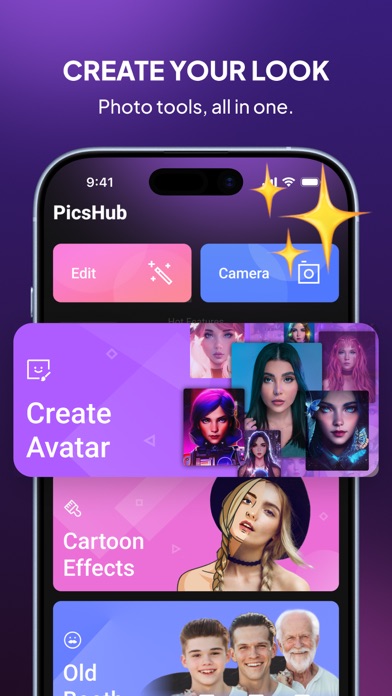
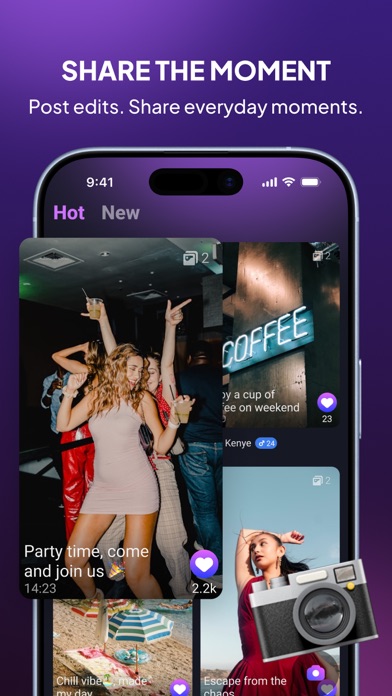
1. Create personalized avatars, turn words or photos into artwork, explore anime, comic, sketch, and color styles, try different ages, hairstyles, and hair colors, change photo backgrounds, apply artistic filters, blend multiple exposures, and give every photo a distinctive look.
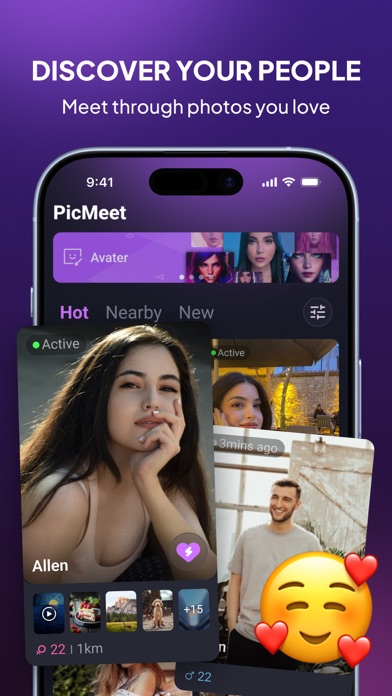
2. PicMeet is a photo-powered community where you can express yourself, discover people with similar interests, and share moments through photos.
3. Whether you are sharing a moment, exploring the community, or expressing your creativity, PicMeet gives you more ways to discover, share, and connect.
4. See who is active, explore different interests and creative styles, and use discovery preferences to find content and people relevant to you.
5. Explore the community, start conversations, and use creative tools to make every post feel more personal.
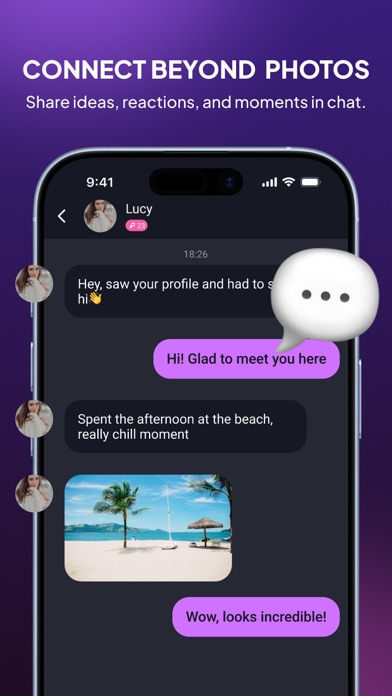
6. Send text, share photos, exchange reactions, and continue conversations that begin with a post or common interest.
7. Browse profiles and posts shared by the PicMeet community.
8. Browse recent activity, like and comment on posts, and connect naturally through shared interests and experiences.
9. Post edited photos, creative ideas, and everyday updates.
10. PicMeet also brings together a complete collection of easy-to-use photo tools.
11. When location access is enabled, approximate distance can help surface profiles and moments from your area.
12. PicMeet - Share with Friends 은 무료 Photo & Video 앱으로 Onekitty International Limited 에서 개발했습니다. 1 개월 전 출시되었으며 12+ 연령에만 적합하며 파일 크기는 191.41 MB.
13. 현재 버전은 v2.2 이며 1.55k 천 사용자 이상의 4.1/5 점을 받았습니다.
PC에서 PicMeet - Share with Friends 용 호환 APK 다운로드
| 다운로드 | 개발자 | 평점 | 점수 | 현재 버전 | 성인 랭킹 |
|---|---|---|---|---|---|
| ↓ PC용 APK 다운로드 | Onekitty International Limited | 1585 | 4.09338 | 2.2 | 12+ |
호환되는 PC 앱 또는 대안 확인
| 소프트웨어 | 다운로드 | 평점 | 개발자 |
|---|---|---|---|
| PicMeet |
PC 앱 받기 | 4.09338/5 1585 리뷰 4.09338 |
Onekitty International Limited |
아래 에뮬레이터 중 하나를 다운로드하십시오.
옵션 "B"는 인기에 따라 권장됩니다. 문제가 발생하면 Google 또는 Naver.com에서 좋은 해결책을 찾을 수 있습니다.보너스 : Android 및 iOS 용 다운로드
Apple Macintosh에서 PicMeet 다운로드
| 다운로드 | 개발자 | 점수 | 현재 버전 | 성인 랭킹 |
|---|---|---|---|---|
| 무료 - Mac 에서 다운로드 | Onekitty International Limited | 4.09338 |
2.2 | 12+ |
 App