
1. Mudify Archive: AI Music & Transcribe Studio is a creative hub that lets you explore public domain music, record your own audio, transcribe it instantly, and analyze content using built-in AI tools.
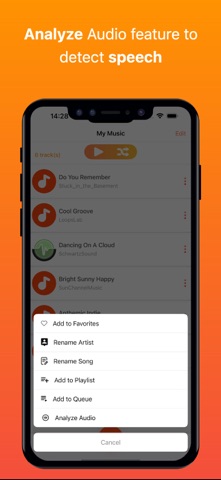
2. Use the Analyze Audio feature to detect speech, identify patterns, or generate summaries — ideal for podcasters or interview analysis.
3. It’s designed for learners, creators, and audio enthusiasts who want to combine listening, transcription, and smart summaries, all in one place.
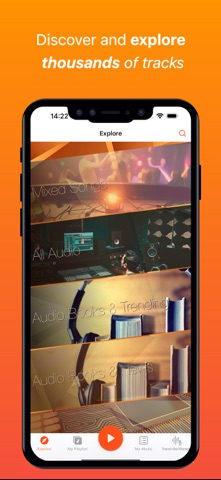
4. Filter by category — Mixed Songs, Audio Books, Poetry, and Community Audio — and build your own playlists.
5. Discover and download thousands of royalty-free tracks from open audio libraries.
6. Users can enjoy, study, and remix audio responsibly.
7. Record voice or upload audio files.
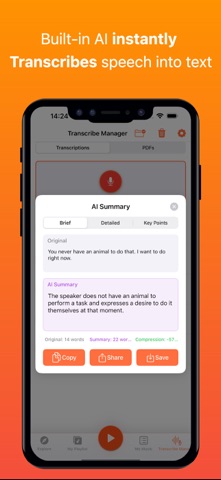
8. Our built-in AI instantly transcribes speech into text, summarizes it into Brief / Detailed / Key Points, and allows exporting as PDF.
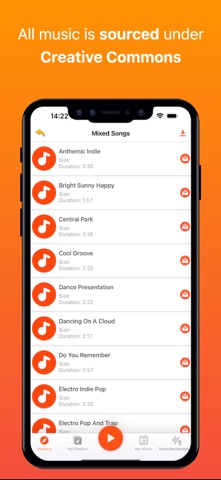
9. All music is sourced under the Creative Commons license and available for non-commercial use.
10. Download free music! Music & video player.
11. Turn recordings or songs into text, translate them, and save as study notes.
12. Mudify MP3 Download Player 은 무료 Music 앱으로 Teely Shop 에서 개발했습니다. 3 개월 전 출시되었으며 12+ 연령에만 적합하며 파일 크기는 293.06 MB.
13. 현재 버전은 v3.2.1 이며 92 사람들 이상의 4.4/5 점을 받았습니다.
PC에서 Mudify MP3 Download Player 용 호환 APK 다운로드
| 다운로드 | 개발자 | 평점 | 점수 | 현재 버전 | 성인 랭킹 |
|---|---|---|---|---|---|
| ↓ PC용 APK 다운로드 | Teely Shop | 92 | 4.40217 | 3.2.1 | 12+ |
호환되는 PC 앱 또는 대안 확인
| 소프트웨어 | 다운로드 | 평점 | 개발자 |
|---|---|---|---|
| Mudify MP3 Download Player |
PC 앱 받기 | 4.40217/5 92 리뷰 4.40217 |
Teely Shop |
아래 에뮬레이터 중 하나를 다운로드하십시오.
옵션 "B"는 인기에 따라 권장됩니다. 문제가 발생하면 Google 또는 Naver.com에서 좋은 해결책을 찾을 수 있습니다.보너스 : Android 및 iOS 용 다운로드
Apple Macintosh에서 Mudify MP3 Download Player 다운로드
| 다운로드 | 개발자 | 점수 | 현재 버전 | 성인 랭킹 |
|---|---|---|---|---|
| 무료 - Mac 에서 다운로드 | Teely Shop | 4.40217 |
3.2.1 | 12+ |
 App