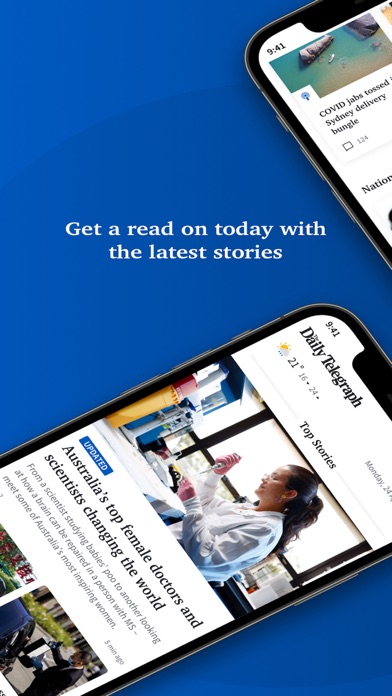
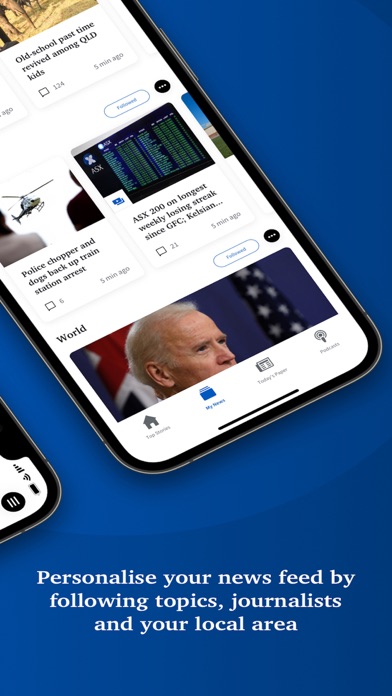
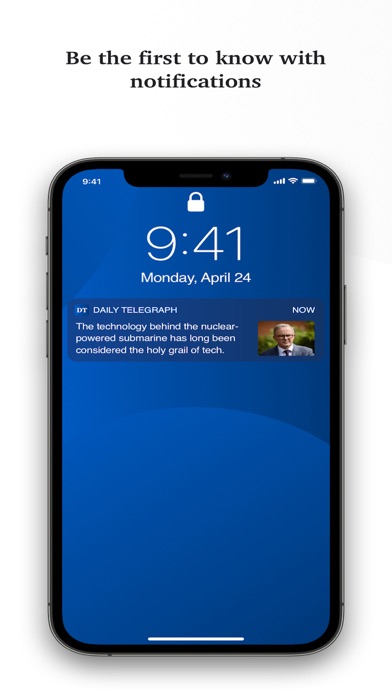
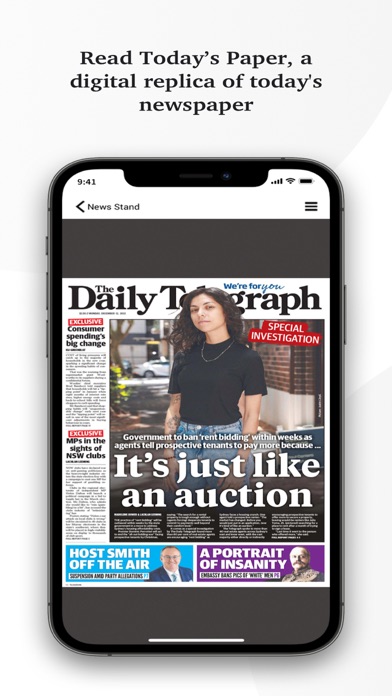
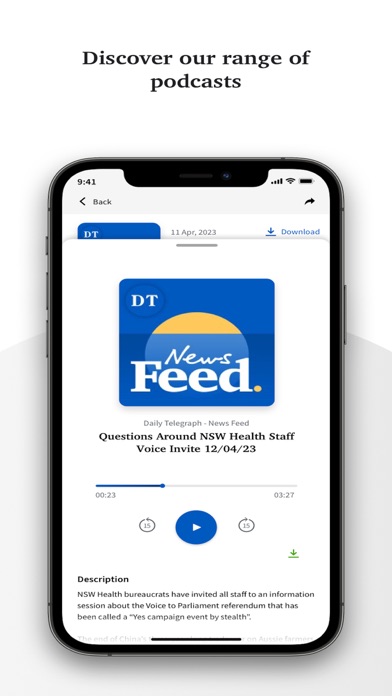
The Daily Telegraph 는 무엇입니까? Daily Telegraph 앱은 호주 뉴사우스웨일스 지역 및 전 세계에서 발생하는 최신 뉴스와 가장 큰 이야기에 대한 가장 선명한 뉴스 커버리지를 제공합니다. 이 앱에서는 다음과 같은 기능을 즐길 수 있습니다. 24/7 믿을 수 있는 뉴스 시드니와 전 세계의 수상 경력을 지닌 기자들의 팀에서 24시간 내내 발생하는 최신 뉴스와 가장 큰 이야기에 대한 액세스를 얻으세요. 사용자 정의 뉴스 피드 지역 뉴스 지역, 기자 및 주제, 좋아하는 스포츠 코드 및 팀을 설정하고 사용자 정의 된 기본 화면에 모든 기본 환경이 표시되므로 관심 있는 내용에 바로 액세스할 수 있습니다. 사용자 정의 된 알림 요청한 뉴스에 대한 최신 알림을 받으세요. 중요한 뉴스, 스포츠 및 엔터테인먼트, 비즈니스 업데이트 및 라이프 스타일 등 다양한 주제에서 알림을 사용자 정의할 수 있습니다. 디지털 신문을 휴대 기기에서 읽기 오늘의 신문의 디지털 복제본으로 언제 어디서나 신문을 읽으세요. 지난 14일간의 백호와 Escape, body+soul 및 Stellar 매거진과 같은 모든 좋아하는 리프트아웃에 액세스할 수 있습니다. 뉴스 이외의 다양한 기능 탐색 Daily Telegraph 앱은 일일 팟캐스트, 수도쿠 및 크로스워드와 같은 다양한 추가 기능으로 가득 차 있어 항상 정보를 알고 즐길 수 있습니다. 따라서 최신 뉴스, 정치, 범죄, 의견, 엔터테인먼트 소문, NRL 또는
1. • DTTV - Scroll seamlessly through the latest videos, updated daily from our award-winning journalists including real-time news updates, comprehensive investigative reports on current affairs, feature videos covering sports, crime, entertainment, and opinion, as well as exclusive behind-the-scenes footage from The Daily Telegraph newsroom.
2. From award-winning local journalism to unparalleled sport, health and education coverage, The Daily Telegraph delivers the stories that matter most to help you stay ahead.
3. For sport fans, enjoy unrivalled NRL coverage of your favourite Sydney clubs, plus AFL, racing, cricket and grassroots local sport - along with the columnists and experts Telegraph readers trust.
4. • PERSONALISED NEWS FEEDS - Set your local area, follow your favourite trusted journalists, topics and sporting codes, and see more of the stories that matter to you on your home screen.
5. Follow live coverage of state politics, crime and courts, transport and tolls, schools and education, health, housing, cost-of-living pressures and the issues shaping life in New South Wales.
6. • Existing subscribers (except Today’s Paper digital replica-only subscribers) can simply log in with their Telegraph subscription details.
7. • SMART, CUSTOM ALERTS - Choose the notifications you care about – breaking news, NRL, business, entertainment, lifestyle and more – and be first to know when big stories break.
8. With our fearless reporting and trusted local perspectives, we are proud to tell the incredible stories from your neighborhood, across the country and around the world.
9. • Your account will be charged for renewal within 24 hours prior to the end of the current period at the then-current rate.
10. Wake up to what’s happening across the Harbour, City and beyond - from Penrith to Parramatta, the Shire to the Northern Beaches, the Hunter, Central Coast, Illawarra and regional NSW.
11. • You can manage your subscription and turn off auto-renew in Account Settings after purchase.
12. The Daily Telegraph: NSW News 은 무료 News 앱으로 News Digital Media 에서 개발했습니다. 1 개월 전 출시되었으며 4+ 연령에만 적합하며 파일 크기는 129.61 MB.
13. 현재 버전은 v9.15.9 이며 0 사용자 이상의 0/5 점을 받았습니다.
PC에서 The Daily Telegraph: NSW News 용 호환 APK 다운로드
| 다운로드 | 개발자 | 평점 | 점수 | 현재 버전 | 성인 랭킹 |
|---|---|---|---|---|---|
| ↓ PC용 APK 다운로드 | News Digital Media | 0 | 0 | 9.15.9 | 4+ |
아래 에뮬레이터 중 하나를 다운로드하십시오.
옵션 "B"는 인기에 따라 권장됩니다. 문제가 발생하면 Google 또는 Naver.com에서 좋은 해결책을 찾을 수 있습니다.보너스 : Android 및 iOS 용 다운로드
Apple Macintosh에서 The Daily Telegraph 다운로드
| 다운로드 | 개발자 | 점수 | 현재 버전 | 성인 랭킹 |
|---|---|---|---|---|
| 무료 - Mac 에서 다운로드 | News Digital Media | 0 |
9.15.9 | 4+ |
특징:
- 24/7 뉴스 제공
- 사용자 맞춤형 뉴스 피드 설정 가능
- 원하는 주제에 대한 최신 알림 제공
- 디지털 신문 레플리카 제공
- 팟캐스트, 수도쿠, 크로스워드 등 다양한 기능 제공
- 구독자는 매달 $14.99로 구독 가능하며, 3개월 후에는 자동 갱신되어 매달 $29.99가 청구됨
- 구독은 iTunes 계정 설정에서 관리 가능
- Nielsen의 소유권 측정 소프트웨어가 포함되어 있음
 App
App