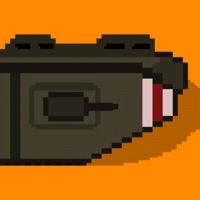
1. Lead your army through the chaos of WW1 Trench Warfare in this intense, retro-style RTS! Command troops, deploy brutal artillery strikes, and dominate the battlefield with tactical precision.
2. Choose from historically inspired factions including Germany, France, Britain, Austria-Hungary, Italy, Russia and the Ottoman Empire, each featuring unique perks and battlefield strengths.
3. Deploy specialized platoons with Sharpshooters, Flame Troopers, Sentries, Trench Raiders and Medics.
4. — Unlock, upgrade and deploy units including Sharpshooters, Flame Troopers, Medics and Tanks.
5. — Immerse yourself in detailed pixel art visuals, showcasing the brutality of trench warfare and tough battlefield conditions.
6. Make strategic choices with an in-depth upgrade system through the Officer Tree, enhancing your army's performance and unlocking devastating weaponry at your disposal.
7. With procedurally generated battles, every fight offers unique challenges and infinite replayability.
8. Experience gripping decisions through dilemmas that affect morale, resources and battle performance—no two campaigns are ever alike.
9. — Each faction brings unique advantages to the battlefield.
10. — Procedurally generated battlefields to ensure a new experience every time.
11. — Free to play and enjoy, with fair in-app options and no intrusive ads.
12. To The Trenches 은 무료 Games 앱으로 Dad Made 에서 개발했습니다. 7 개월 전 출시되었으며 12+ 연령에만 적합하며 파일 크기는 78.73 MB.
13. 현재 버전은 v1.6.18 이며 7 사람들 이상의 5/5 점을 받았습니다.
PC에서 To The Trenches 용 호환 APK 다운로드
| 다운로드 | 개발자 | 평점 | 점수 | 현재 버전 | 성인 랭킹 |
|---|---|---|---|---|---|
| ↓ PC용 APK 다운로드 | Dad Made | 7 | 5 | 1.6.18 | 12+ |
아래 에뮬레이터 중 하나를 다운로드하십시오.
옵션 "B"는 인기에 따라 권장됩니다. 문제가 발생하면 Google 또는 Naver.com에서 좋은 해결책을 찾을 수 있습니다.보너스 : Android 및 iOS 용 다운로드
Apple Macintosh에서 To The Trenches 다운로드
| 다운로드 | 개발자 | 점수 | 현재 버전 | 성인 랭킹 |
|---|---|---|---|---|
| 무료 - Mac 에서 다운로드 | Dad Made | 5 |
1.6.18 | 12+ |
 App
App