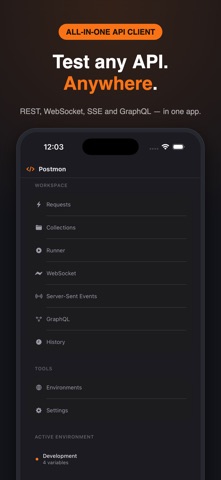

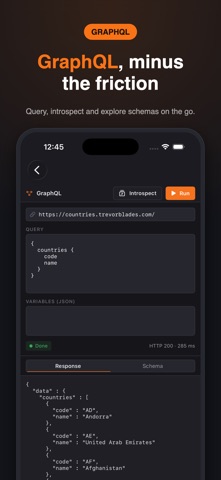
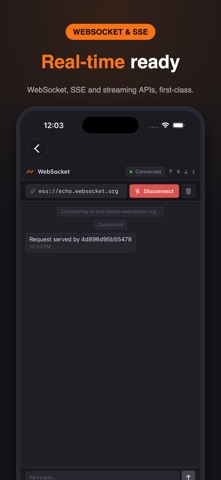

1. PostX is a powerful yet simple API client for iPhone and iPad for working with REST APIs, HTTP APIs, and even occasional SOAP APIs.
2. • HTTP/HTTPS methods Send requests with GET, POST, PUT, DELETE, PATCH, and more so you can cover most modern REST and HTTP APIs in one API client.
3. Use this REST API client and HTTP API client to quickly build requests, inspect responses, and iterate on your backend without needing a desktop tool.
4. PostX is an all-in-one REST API client and HTTP API client for iPhone and iPad that brings your desktop API workflow to iOS.
5. • Headers Add custom headers, with common ones like Content-Type and User-Agent ready for quick setup when using this HTTP API client on iPhone and iPad.
6. • Authorization Use Basic, Bearer/JWT, and OAuth-style authentication to connect securely to protected APIs directly from this REST API client for iOS.
7. • Body formats Build request bodies in raw, binary, GraphQL, form-data, and x-www-form-urlencoded formats to handle most real-world REST and HTTP API scenarios.
8. • Scripts Insert pre-request and post-response scripts to handle tokens, variables, and simple checks without leaving your API client.
9. • Workspaces Create workspaces to organize APIs by project, service, or environment so you can keep related requests grouped and easy to access.
10. • History Automatically save requests and responses so you can rerun, tweak, and reuse them whenever you need inside your API client for iOS.
11. • Custom parameters Add query parameters with key, value, and descriptions to keep complex endpoints organized and reusable in your API-client testing workflow.
12. PostX - Rest API Client 은 무료 Developer Tools 앱으로 Anupkumar Naginbhai Patel 에서 개발했습니다. 3 개월 전 출시되었으며 4+ 연령에만 적합하며 파일 크기는 3.89 MB.
13. 현재 버전은 v1.3 이며 2 사람들 이상의 3/5 점을 받았습니다.
PC에서 PostX - Rest API Client 용 호환 APK 다운로드
| 다운로드 | 개발자 | 평점 | 점수 | 현재 버전 | 성인 랭킹 |
|---|---|---|---|---|---|
| ↓ PC용 APK 다운로드 | Anupkumar Naginbhai Patel | 2 | 3 | 1.3 | 4+ |
아래 에뮬레이터 중 하나를 다운로드하십시오.
옵션 "B"는 인기에 따라 권장됩니다. 문제가 발생하면 Google 또는 Naver.com에서 좋은 해결책을 찾을 수 있습니다.보너스 : Android 및 iOS 용 다운로드
Apple Macintosh에서 PostX 다운로드
| 다운로드 | 개발자 | 점수 | 현재 버전 | 성인 랭킹 |
|---|---|---|---|---|
| 무료 - Mac 에서 다운로드 | Anupkumar Naginbhai Patel | 3 |
1.3 | 4+ |
 App