
1. Explore Bible study, Bible videos, Bible stories, Scripture, Bible verses, daily devotionals, Christian prayer, AI Bible Chat, the Old Testament, the New Testament, Jesus, and faith growth—all in one simple app.
2. Experience the Bible in a more engaging way with cinematic Bible videos, Bible study tools, daily devotionals, guided prayer, and AI Bible Chat—all in one app.
3. Build a daily Bible study habit with streak tracking, home screen widgets, and easy access to Scripture wherever you are.
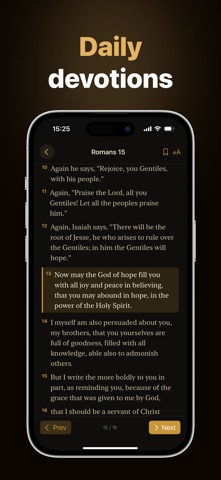
4. Start your day with Scripture-based devotionals created to encourage your faith, strengthen your relationship with God, and connect the Bible to everyday life.
5. Follow guided reading plans and explore the meaning, context, and message behind Bible passages.
6. Discover devotionals, reading plans, and Bible content that feel relevant to your spiritual journey.
7. Read the complete Bible and study Scripture at your own pace.
8. Have a question about a Bible verse, story, or teaching? Ask AI Bible Chat for thoughtful, Scripture-based explanations and helpful biblical context.
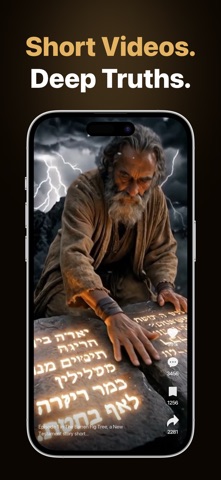
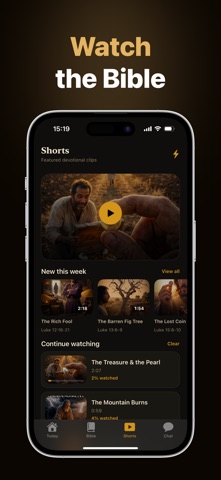
9. Watch cinematic short videos that bring Bible stories to life.
10. Bible Shorts helps you watch, read, understand, and live out Scripture every day.
11. Whether you are new to the Bible or growing in your faith, discover a simple way to stay connected to God’s Word.
12. Bible Shorts: Watch & Study 은 무료 Reference 앱으로 梦楠 刘 에서 개발했습니다. 1 개월 전 출시되었으며 4+ 연령에만 적합하며 파일 크기는 73.03 MB.
13. 현재 버전은 v1.5.6 이며 0 사용자 이상의 5/5 점을 받았습니다.
PC에서 Bible Shorts: Watch & Study 용 호환 APK 다운로드
| 다운로드 | 개발자 | 평점 | 점수 | 현재 버전 | 성인 랭킹 |
|---|---|---|---|---|---|
| ↓ PC용 APK 다운로드 | 梦楠 刘 | 1 | 5 | 1.5.6 | 4+ |
아래 에뮬레이터 중 하나를 다운로드하십시오.
옵션 "B"는 인기에 따라 권장됩니다. 문제가 발생하면 Google 또는 Naver.com에서 좋은 해결책을 찾을 수 있습니다.보너스 : Android 및 iOS 용 다운로드
 App