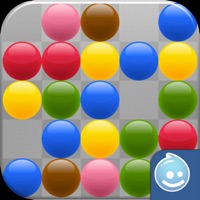
1. Colorful flowers are arranged on ropes, and your goal is to sort flowers by color, match them to the right rope, complete objectives, and fill flower pots.
2. Whether you enjoy sorting games, matching games, color sorting puzzles, brain teasers, or casual puzzle games, Sort Parade offers an easy-to-learn experience with satisfying challenges for every puzzle fan.
3. Sort Streak is a relaxing color sorting puzzle game and matching game that combines simple drag-and-drop gameplay with thoughtful planning.
4. Take your time to sort colorful flowers, match the right colors, complete objectives, and enjoy the satisfying feeling of solving a puzzle.
5. Move the flowers underneath to bring a Mystery Flower to the end of the rope and reveal its true color.
6. Rearrange the flowers, manage limited rope space, and find the best solution for every puzzle level.
7. Locked flowers cannot be moved until you complete the required color objective or the required number of group objectives.
8. • Sort and match flowers by color while carefully planning each move.
9. Whether you want to relax or train your logical thinking, Sort Parade offers a colorful and satisfying puzzle challenge.
10. • Pick up a flower or a connected group of flowers from a rope.
11. • Complete a full group of flowers on the matching rope.
12. Sort Streak: Color Puzzle 은 무료 Games 앱으로 Oakever Games 에서 개발했습니다. 2 주일 전 출시되었으며 4+ 연령에만 적합하며 파일 크기는 328.42 MB.
13. 현재 버전은 v1.0.9 이며 25 사람들 이상의 4.5/5 점을 받았습니다.
PC에서 Sort Streak: Color Puzzle 용 호환 APK 다운로드
| 다운로드 | 개발자 | 평점 | 점수 | 현재 버전 | 성인 랭킹 |
|---|---|---|---|---|---|
| ↓ PC용 APK 다운로드 | Oakever Games | 25 | 4.48 | 1.0.9 | 4+ |
아래 에뮬레이터 중 하나를 다운로드하십시오.
옵션 "B"는 인기에 따라 권장됩니다. 문제가 발생하면 Google 또는 Naver.com에서 좋은 해결책을 찾을 수 있습니다.보너스 : Android 및 iOS 용 다운로드
Apple Macintosh에서 Sort Streak 다운로드
| 다운로드 | 개발자 | 점수 | 현재 버전 | 성인 랭킹 |
|---|---|---|---|---|
| 무료 - Mac 에서 다운로드 | Oakever Games | 4.48 |
1.0.9 | 4+ |
 App