
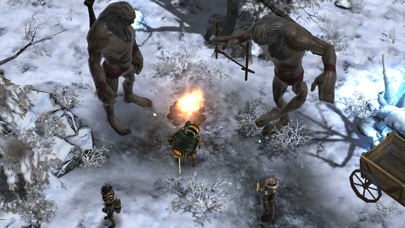

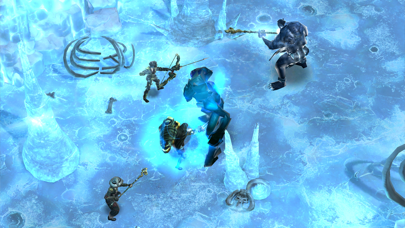
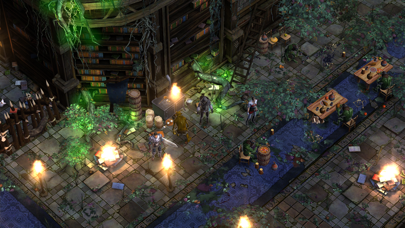
1. Beginning in the Deep Barrows, players traverse vast environments divided between aboveground and underground realms – ranging from lush forests to dry deserts and dark abysses – to reach the City of Light.
2. Ember features a deep branching story, endless exploration across dynamic and living environments, a robust skill tree, and an intricate crafting system.
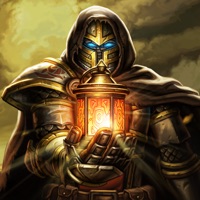
3. In Ember, players are resurrected as a “Lightbringer” and summoned to protect the dying Embers as the world is on the brink of collapse.
4. The story unfolds through encounters with strangers, and players are forced to decide their destiny by making pivotal decisions.
5. The heavens opened up and stars fell like beacons into the pitch black world, and they were known as “Embers”.
6. A passion project 10 years in the making, Ember is a homage to classic role-playing games.
7. Powerful and wise druids of a primordial race, “the Lightbringers," roamed the orb searching for this luminous matter.
8. “Back in the earliest days, there was no sun and the world was dark.
9. Suddenly the world became bright, and the veil of darkness was lifted.
10. They performed a ritual of awakening to call the “Embers” out of their deep sleep.
11. Ember 은 ₩12,000 Games 앱으로 505 Games (US), Inc. 에서 개발했습니다. 9 년 전 출시되었으며 9+ 연령에만 적합하며 파일 크기는 2.60 GB.
12. 현재 버전은 v1.043 이며 12 사람들 이상의 3.7/5 점을 받았습니다.
PC에서 Ember 용 호환 APK 다운로드
| 다운로드 | 개발자 | 평점 | 점수 | 현재 버전 | 성인 랭킹 |
|---|---|---|---|---|---|
| ↓ PC용 APK 다운로드 | 505 Games (US), Inc. | 12 | 3.66667 | 1.043 | 9+ |
아래 에뮬레이터 중 하나를 다운로드하십시오.
옵션 "B"는 인기에 따라 권장됩니다. 문제가 발생하면 Google 또는 Naver.com에서 좋은 해결책을 찾을 수 있습니다.보너스 : Android 및 iOS 용 다운로드
Apple Macintosh에서 Ember 다운로드
| 다운로드 | 개발자 | 점수 | 현재 버전 | 성인 랭킹 |
|---|---|---|---|---|
| ₩12,000 - Mac 에서 다운로드 | 505 Games (US), Inc. | 3.66667 |
1.043 | 9+ |
 App